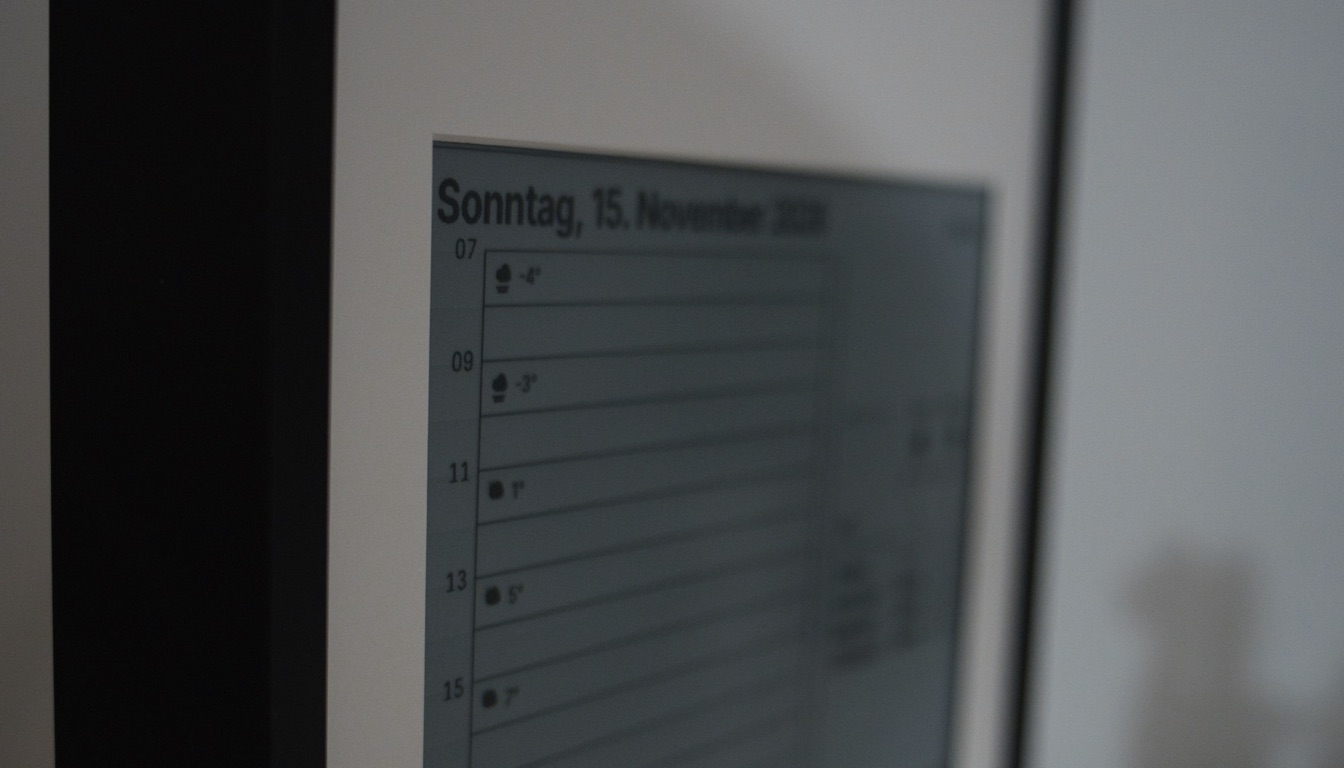
We have a Google display in the kitchen. To find out what is planned for today I had to ask it, repeat myself, and then ask again because the answer only covered one of our calendars. In a kitchen where someone is talking to me and the oven is running, I don't want to shout at a device.
What I actually wanted is simple: my business calendar and our family calendar next to each other, on the wall, readable while walking by. So I built IRIS, an e-ink display in a picture frame. And yes, like most of my private projects, it is over-engineered.
The Requirements
- Family and business calendars in one view
- No app, no voice assistant, nothing that lights up or makes noise
- Battery powered, I don't want a cable hanging down the kitchen wall
- Changing the layout should not require touching the hardware
The Hardware
The display is a 13.3 inch e-ink panel from Waveshare with 960x680 pixels, driven by an ESP32-S3 board and a LiPo battery. Three buttons on the frame let me go back, go forward, and trigger a sync.
E-ink keeps its image without power, so the controller is in deep sleep almost all the time. It wakes up at 5 in the morning, fetches the new pages, draws the first one and goes back to sleep.
The device is dumb on purpose
IRIS has three pages: today, the next five days, and the month. This is the five-day page, with fictional appointments. Business entries have a star, family entries a heart, and all-day entries sit in the row at the bottom.
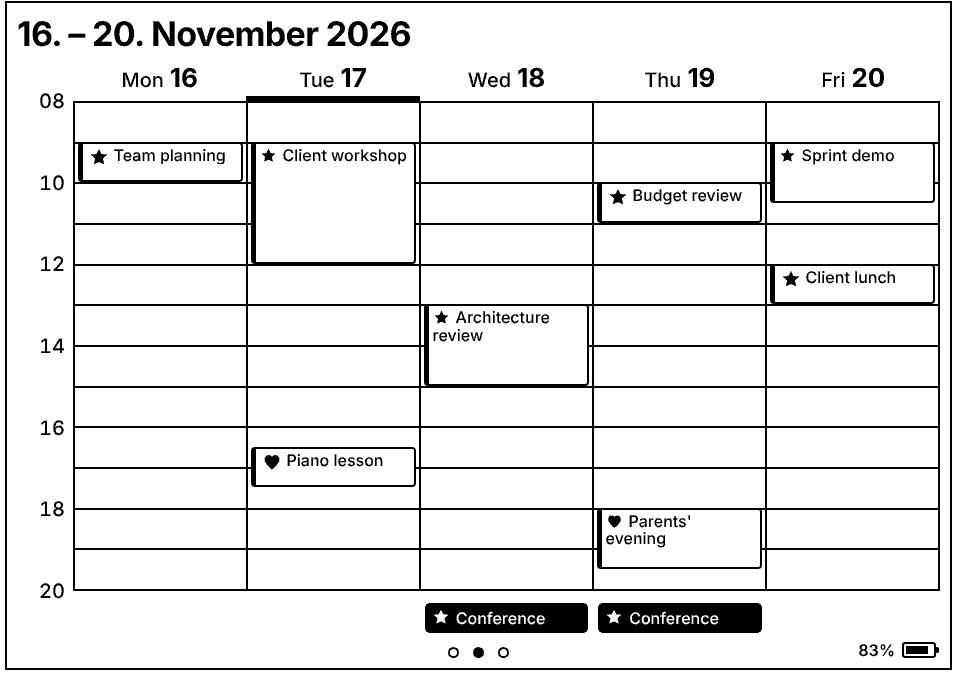
The ESP32 knows nothing about calendars. It downloads finished images and shows them. Everything else happens in a Lambda function:
- Read the calendars (ICS feeds) and the weather from Open-Meteo
- Render the pages as HTML with Jinja templates
- Take a screenshot with Playwright and convert it into the 2-bit format the panel expects
- Store the files in a private S3 bucket and return presigned URLs
The infrastructure is AWS CDK code. The big advantage of this split: if I want to move a label or make a font bigger, I change a template and deploy. No firmware update, no taking the frame off the wall. The same code also runs on my laptop, so I can look at a page in the browser before it ends up in the kitchen.
One catch: a container Lambda with Chromium inside takes around 30 seconds for a cold start, and API Gateway gives up after 29. I could pay for a warm Lambda, but for one request per day that felt wrong. The firmware just tries again, and the second request is answered in about 15 seconds.
What went wrong on the way
Battery is not USB. On USB everything worked. On battery the panel stopped in the middle of a redraw. Controller and panel shared one voltage regulator, and when both needed power at the same moment it ran into its current limit. A second regulator, one for each, fixed it.
Grays wash out. The panel can show four gray levels, and the first design used them. After a few hours the light grays faded. Now everything is pure black, the lines are thicker and the fonts bigger. It looks less fancy in the browser and much better on the wall.
A driver that waits forever. The vendor driver waited for the panel to report "ready" after sending it to sleep. A sleeping panel never reports ready, so the device was stuck after every draw. I removed the wait and added timeouts everywhere else.
Is it still alive? The pages are stored on the device, so it also works without Wi-Fi. But this means yesterday's calendar looks just as convincing as today's. After every successful sync the device sends a heartbeat together with its battery voltage. If CloudWatch does not see a heartbeat for more than a day, I get an email.
Result
IRIS now hangs in our kitchen and runs about four weeks on one charge. I look at the wall, know what is planned, and continue the conversation.
This is not a weekend project. There was soldering involved, and more debugging sessions with Claude than I expected. But the idea behind it is not limited to a kitchen: a dumb device, rendering in the cloud, and a heartbeat that tells you when the screen is outdated would work just as well for a dashboard in an office or on a shop floor.